
Fit a tab to your guitar
Show a Guitar Pro tab for the guitar you play. Every note keeps its pitch.
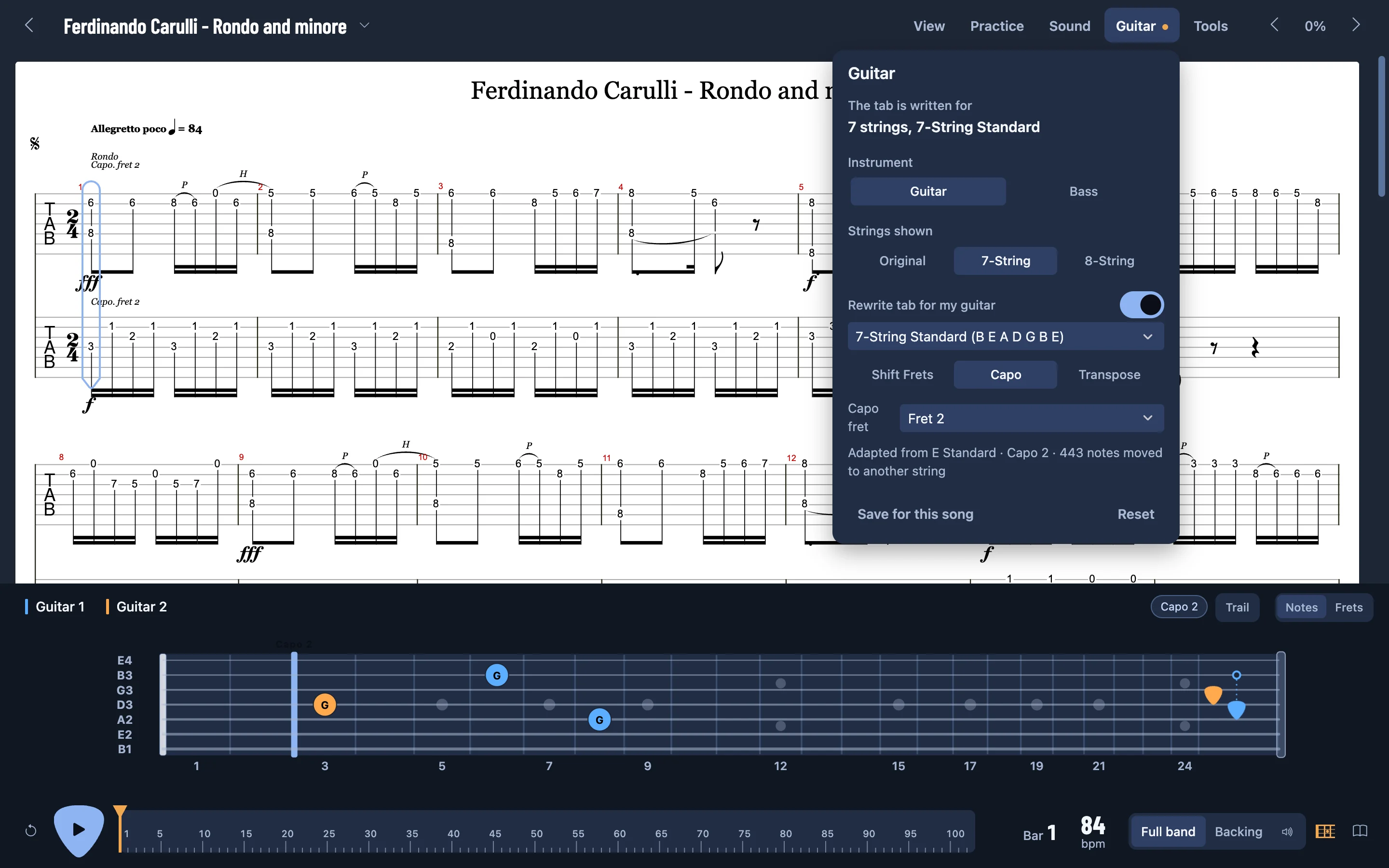
Choose the number of strings
Under Strings, select 6-String, Original, 7-String or 8-String. Original shows the tab as written.
Match your tuning
Under Tuning, you can choose from these options:
- Shift Frets moves the frets to match your tuning.
- Capo adapts the frets to a capo position that you set under Capo.
- Transpose keeps the same frets and retunes, so the song sounds lower or higher.
When a tab is adapted to your guitar, the badge Adapted appears.
Keep or discard your changes
A change applies to the song that's open, and it resets when you close the song. To keep it, save it for that song or as your usual guitar. To set your starting string counts for new files, use Default strings under Player in Settings.