
Fretboard and the Tools menu
The reader's Tools menu opens the practice and reference tools while a score is open. The library has the same tools, and more, in its Tools view.
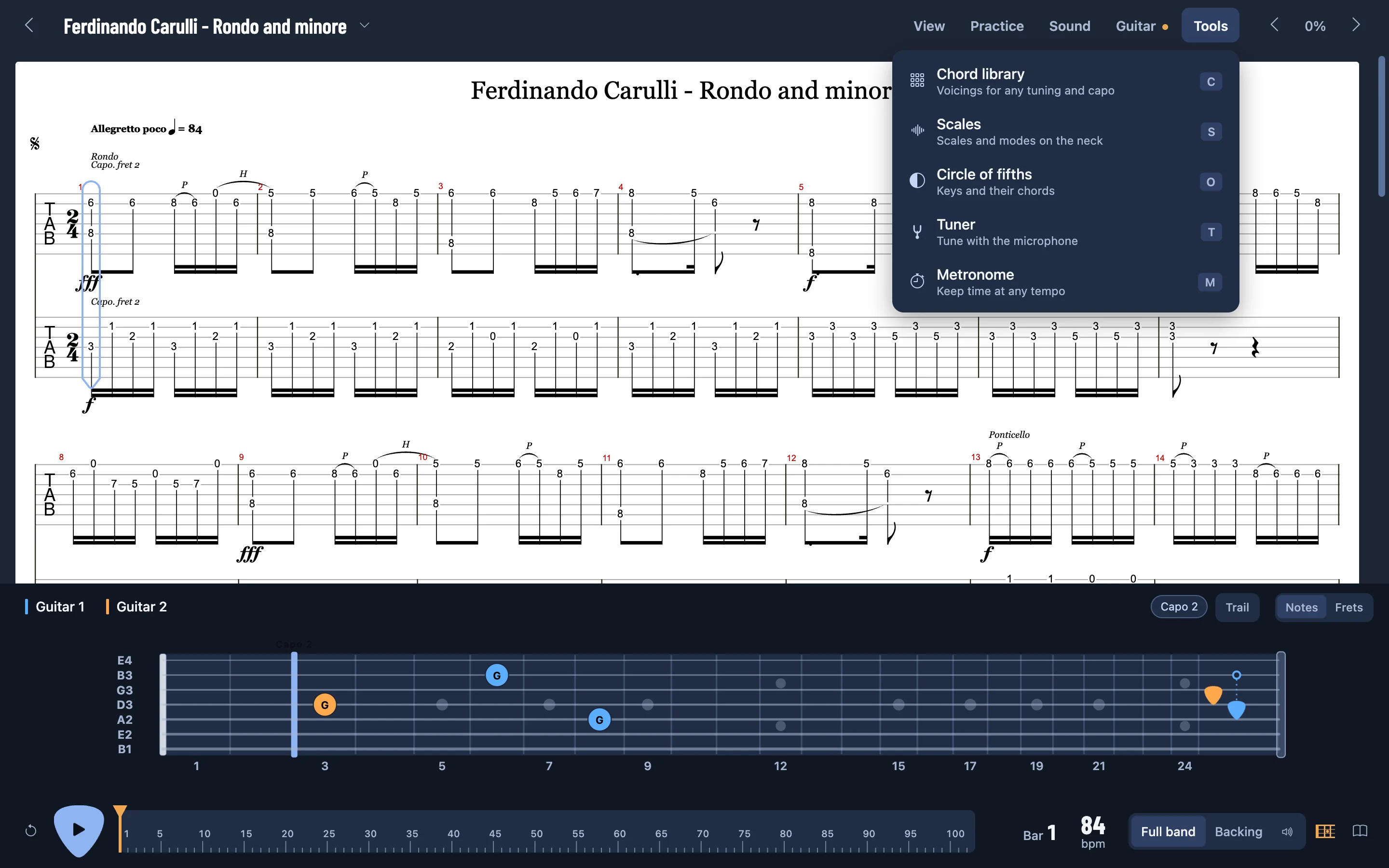
Show the fretboard
On Guitar Pro tabs, the fretboard appears above the dock. It lights up the notes of the current beat, with a color for each track. To flip it for left-handed play, turn on Left-handed guitar under Player in Settings. To show or hide it, select Toggle fretboard in the dock, or press F.
Open a tool
Select Tools and then select a tool, or press its key:
| Tool | Key | What it does |
|---|---|---|
| Chord library | C | Voicings for any tuning and capo |
| Scales | S | Scales and modes on the neck |
| Circle of fifths | O | Keys and their chords |
| Tuner | T | Tune with the microphone |
| Metronome | M | Keep time at any tempo |
| Jam mode | Host or join on your network |