
Setlists and tunings
A setlist lists songs in the order you plan to play them. Tuning groups organize the library by how you tune.
Create a setlist
- In the library views, select Setlists.
- Select New setlist and enter a name.
- Search for songs and add them. You can also select Add to setlist on a song.
Edit a setlist
Select Edit setlist. Then you can move songs up or down and remove them. To delete the whole setlist, select Delete setlist.
Play a setlist
Select Start set to open the first tab. While the setlist is open, select Previous in setlist or Next in setlist in the top bar. These buttons show your position, for example 2/8. On a keyboard, press [ for the previous tab and ] for the next tab.
Browse by tuning
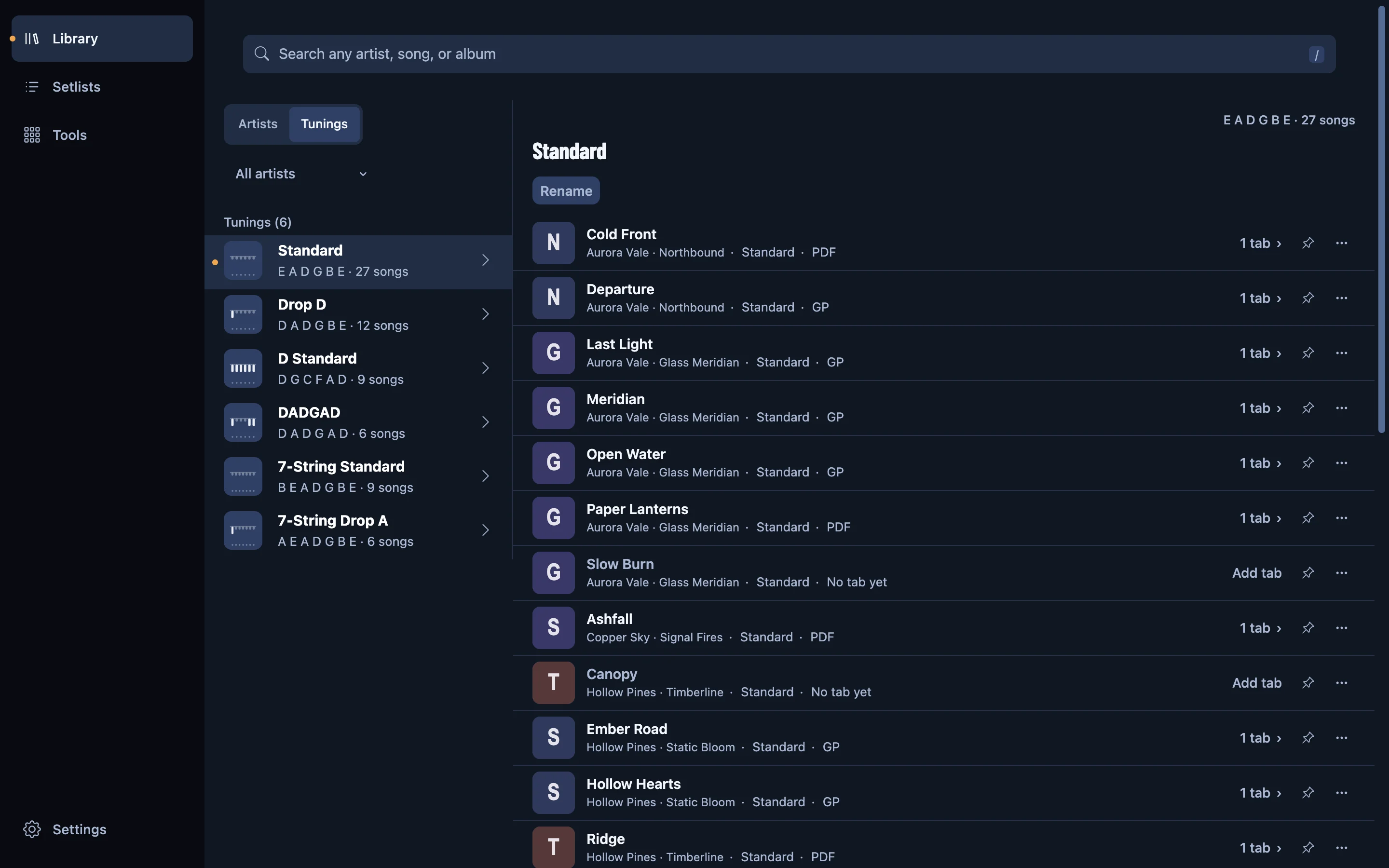
Every song records its tuning. In the library views, select Tunings to group your library by Standard, Drop D, D Standard, DADGAD, 7-string, 8-string or a custom tuning. Choose songs from one group to play a set without retuning.